Which AI tax app saves freelancers more?
Tax season hits different when you’re self-employed. No HR department. No W-2 that handles everything. Just you, a pile of 1099s, and the creeping anxiety that you’re missing deductions.
FlyFin and Keeper Tax both promise to fix that with AI. Both scan your transactions, surface write-offs, and make quarterly estimates less painful. Both claim to save freelancers thousands.
The verdict: Keeper Tax is the better pick for most independent contractors — especially if you earn under $150K and want a clean, mobile-first experience. FlyFin pulls ahead if you have complex income, want a CPA to physically file your return, or need heavy deduction mining from messy bank statements.
Here’s the full breakdown.
What Each App Actually Does
Both apps share the same core loop: link your bank and credit card accounts, let AI scan transactions, approve or reject flagged deductions, then file (or export data to file elsewhere).
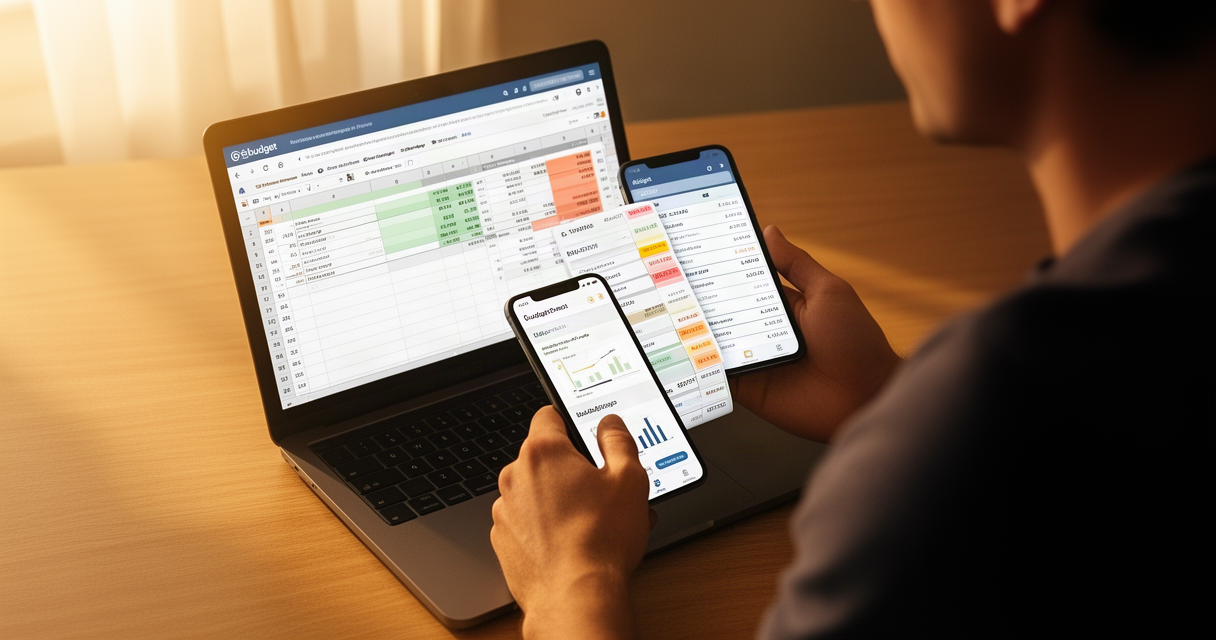
Keeper Tax is built around a simple expense-tagging workflow. You connect your accounts, and the app uses its AI to scan up to 18 months of transactions for deductible expenses. Flagged items show up as a swipe-left/swipe-right queue — keep or dismiss. The UI is clean and genuinely phone-friendly. You can link up to 10 accounts. Keeper also lets you chat with a real tax professional, usually within an hour.
FlyFin takes a heavier approach. After connecting your accounts, FlyFin’s AI scans bank statements line by line looking for 1099 write-offs — not just obvious categories, but edge cases. It’s designed for freelancers who have complicated expense pictures: multiple income streams, home office deductions, equipment, software, travel. Where FlyFin is distinct is its CPA tier: a human CPA prepares and signs your actual return, not just reviews it.
Pricing Comparison (2026)
| Keeper Tax | FlyFin | |
|---|---|---|
| Deductions only | Not listed separately | AI scan, no filing |
| Filing + Deductions | $199/year | ~$192/year (Standard) |
| Premium/Complex | $399/year (LLCs, K-1s, rentals) | ~$348/year (S-Corp, video CPA) |
| Business | $1,199/year (S-Corps) | — |
| Free trial | No | Yes |
| CPA filing included | Yes (tax professional review) | Yes (CPA prepares + signs) |
| Mobile app | iOS + Android | iOS + Android |
Pricing checked March 2026 from official websites. FlyFin’s pricing is not publicly listed on its website — the company directs users to the app for current rates, which makes comparison harder. The figures above are from review sources (The College Investor, SaaSworthy).
Both are meaningfully cheaper than hiring a CPA directly. Traditional CPA rates for self-employed returns typically run $300–$600+, according to the National Society of Accountants.
AI Deduction Finding: How They Compare
This is where the real difference lives.
Keeper’s AI works by pattern-matching against known deductible categories — software subscriptions, business meals, home office, mileage, equipment. It’s reliable for freelancers with clean, predictable expense profiles. Users on Capterra and TechRadar consistently rate the deduction-flagging as accurate, though some note it occasionally misses industry-specific write-offs.
FlyFin’s AI is designed to go deeper. It’s scanning for less obvious deductions — the kind a busy freelancer wouldn’t think to flag manually. FlyFin claims its AI finds an average of $3,700 in additional tax savings in five minutes (source: FlyFin.tax, March 2026). One user testimonial reported a $4,000 difference in taxes owed after using FlyFin’s CPA service. These are marketing claims, so take them with appropriate skepticism — but the approach is genuinely different.
The honest tradeoff: FlyFin’s deeper scanning requires giving the app access to your full bank statements, which some users find uncomfortable. Reviews on Trustpilot mention concerns about data sharing. Keeper’s approach is more limited but feels less invasive.
Filing Experience
Keeper Tax lets you file directly through the app, with a tax professional reviewing your return before submission. The premium tier adds quarterly tax calls and amendment support. The process is linear and clear — you complete the deductions year-round, then the filing workflow uses all those tagged items automatically.
FlyFin positions its CPA filing as the core product differentiator. With the Standard plan, a CPA actually prepares and signs your federal and state return — not just reviews it. FlyFin also includes audit representation, meaning they deal with the IRS if you get flagged. The weak point: FlyFin is mobile-app-only, and several users on review sites note that the condensed interface is harder to navigate for people who prefer doing taxes on a desktop.
Who Each App Is Built For
Choose Keeper Tax if:
- You’re a freelancer or gig worker with straightforward income (single 1099 source, predictable expenses)
- You want a clean, swipe-based mobile experience
- You prefer knowing your exact annual cost upfront
- You want quick access to a tax professional by chat
Choose FlyFin if:
- You have multiple income streams and complex 1099 situations
- You want a CPA to physically file and sign your return (not just review)
- You need audit protection built in
- You’re comfortable using a mobile-only app and want aggressive deduction mining
Our Take
The AI tax app category exists because the IRS tax code is a mess and most freelancers leave money on the table. Both FlyFin and Keeper are legitimate tools solving a real problem.
That said, the Finance AI Daily view: Keeper Tax wins for most people. The pricing is transparent, the UX is genuinely good, the deduction coverage is solid for typical freelance expense profiles, and having a tax professional review before filing gives you adequate protection without the complexity of FlyFin’s CPA pipeline.
FlyFin is the right call if you’re earning serious freelance income ($150K+), have a complicated tax picture, or have historically found that CPAs surface deductions you’d never find yourself. In those cases, the extra CPA layer is worth it.
One flag on FlyFin: the negative reviews mentioning unresponsive support and tax return errors are worth knowing about. They appear to be isolated incidents — but for something as high-stakes as your tax return, responsiveness matters. If you go FlyFin, use the CPA tier, not just the AI scanning.
The worst option is still doing nothing and overpaying. If you’re a freelancer still manually tallying expenses in a spreadsheet, either app will pay for itself in the first year.
Frequently Asked Questions
Is FlyFin legit or a scam?
FlyFin is a legitimate service. It has been operating since 2020 and has real CPAs on staff. Some negative reviews on Trustpilot cite slow response times and errors in filings, so the execution quality appears variable. For best results, use the full CPA filing tier rather than just the AI deduction tool, and verify your return carefully before submission.
Is Keeper Tax worth it if I’m just starting out as a freelancer?
If you’re in your first year and your income is low (under $50K), Keeper’s $199/year plan is probably overkill — a free version of TurboTax or H&R Block handles simple 1099s fine. Keeper becomes genuinely valuable once you have meaningful business expenses (equipment, subscriptions, home office) to track year-round.
Can I use both FlyFin and Keeper Tax?
Technically yes, but it’s not worth the cost. Pick one and use it consistently for the full year so the AI builds a complete picture of your deductions. Switching or running both in parallel creates gaps.
Which app is better for someone with both W-2 and 1099 income?
Keeper Tax handles mixed income situations more cleanly. FlyFin’s product is heavily optimized for pure 1099 situations. If you have a salaried job plus significant freelance income, Keeper’s workflow is easier to navigate.
Do these apps replace a CPA entirely?
For most freelancers with standard business expenses, yes — either app plus the included professional review is sufficient. If you have complex situations (partnerships, S-corps, multi-state income, foreign accounts), you still want a dedicated CPA, though both apps offer premium tiers that approach that level of service.
The Bottom Line
FlyFin and Keeper Tax are the two strongest AI-native options for freelancer tax management in 2026. Both beat traditional self-filing on deduction finding. Both are significantly cheaper than a full-service CPA.
Keeper Tax for clear pricing, better UX, and most freelance situations. FlyFin if you want maximum deduction depth and a CPA who signs your actual return.
Either way: start tracking expenses now, not at tax time. The apps only work as well as the data you feed them.